

Moving past the perimeter
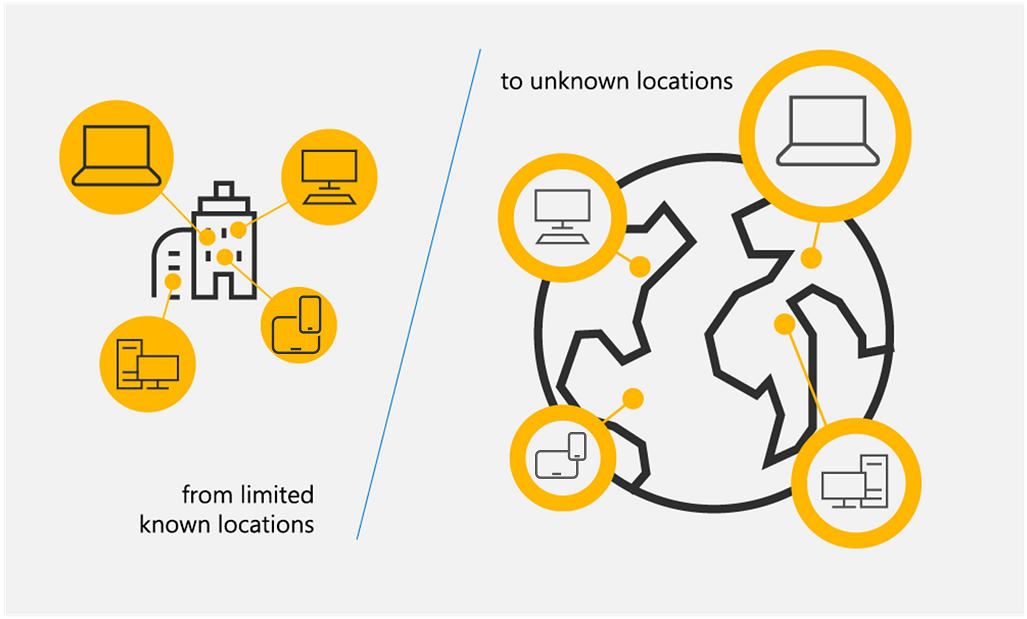
Network security used to rely on the assumption that anything inside the office walls was safe. We relied on firewalls to keep people out, but that doesn't work when your team is spread across home offices and coffee shops. The old perimeter is dead.
Recent breaches consistently demonstrate the failure of perimeter-based security. A 2023 Verizon Data Breach Investigations Report found that 74% of breaches involved a human element, and a significant portion originated from within the network itself. This isn't about malicious insiders alone; it’s about compromised credentials and lateral movement after an initial breach. Once inside, attackers often find relatively easy access to sensitive data.
The solution isn’t to build higher walls, but to eliminate the concept of implicit trust altogether. This is where Zero Trust Architecture (ZTA) comes in. It’s a fundamental shift in thinking, moving away from 'trust but verify' to 'never trust, always verify'. The National Institute of Standards and Technology (NIST) Special Publication 800-207 provides a comprehensive framework for understanding and implementing ZTA, and it’s the foundation we’ll be using to navigate this transition.
Simply put, we need a security model designed for a world where the perimeter is porous, and threats can originate from anywhere. Zero Trust isn’t a product you buy; it’s a strategic approach to security that requires a holistic reassessment of how we protect our digital assets. It’s about acknowledging that trust is a vulnerability.
The three rules of zero trust
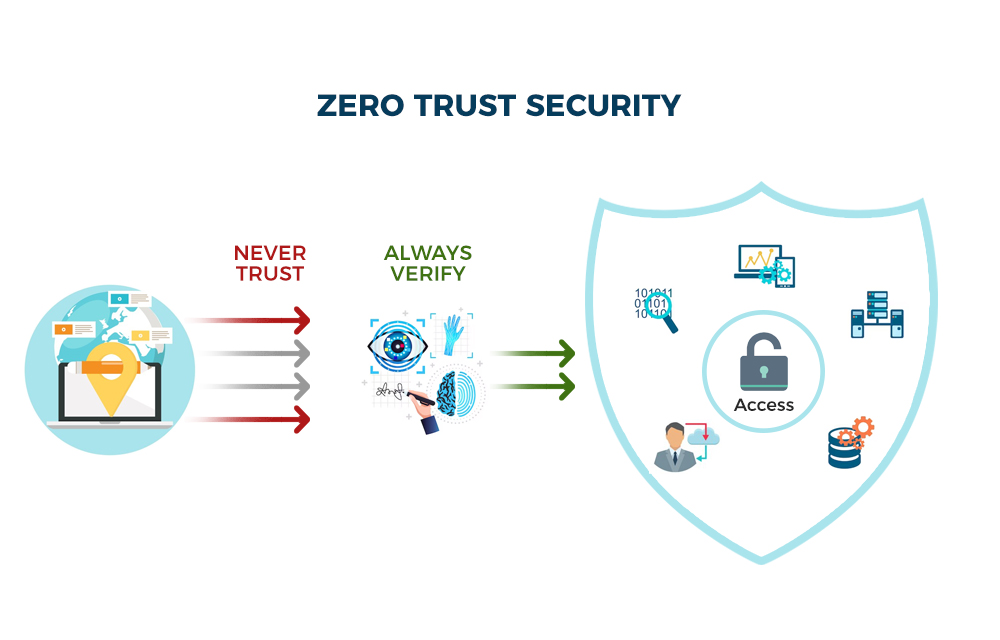
At its heart, Zero Trust is built on three core principles: never trust, always verify, and assume breach. These aren’t just buzzwords; they’re fundamental shifts in how we approach security. 'Never trust' means no user or device, whether inside or outside the network, is automatically trusted. Every access request must be authenticated and authorized.
’Always verify’ builds on the first principle. It requires continuous validation of user identity, device posture, and application context before granting and maintaining access. This isn't a one-time check; it’s a constant process of re-authentication and re-authorization. Imagine needing to show your ID every time you enter a different room in an office building – that’s the idea.
’Assume breach’ is perhaps the most critical and often the hardest to accept. It acknowledges that attackers will eventually find a way in. Therefore, security controls must be designed to minimize the blast radius of a breach, limiting the attacker’s ability to move laterally and access sensitive data. This principle drives the need for microsegmentation and continuous monitoring.
NIST SP 800-207 expands on these principles, emphasizing least privilege access – granting users only the minimum access required to perform their tasks – and continuous monitoring and analytics to detect and respond to threats in real-time. These principles aren’t mutually exclusive; they work together to create a more resilient security posture.
- Never trust: No device gets a pass just because it's on the office Wi-Fi.
- Always Verify: Every access request is authenticated and authorized.
- Assume Breach: Security controls are designed to minimize the impact of a successful attack.
- Least Privilege Access: Users are granted only the minimum necessary access.
- Continuous Monitoring: Network traffic, user activity, and system logs are constantly monitored.
Zero Trust Principles
- Never Trust, Always Verify - Every user, device, and application, whether inside or outside the network perimeter, must be authenticated and authorized before being granted access to resources.
- Least Privilege Access - Users should only be granted the minimum level of access necessary to perform their job functions. This limits the potential blast radius of a security breach.
- Assume Breach - Acknowledging that attackers may already be present within the network, Zero Trust focuses on minimizing the impact of a successful breach through segmentation and continuous monitoring.
- Microsegmentation - Dividing the network into small, isolated segments to limit lateral movement of attackers. This restricts access to only necessary resources within each segment.
- Continuous Monitoring & Validation - Constantly monitoring user behavior, device posture, and network traffic for anomalies. Continuous validation ensures ongoing trust assessment.
- Device Security Posture - Assessing the security health of devices (e.g., patching levels, antivirus status) before granting access. Non-compliant devices may be denied or limited access.
- Data-Centric Security - Focusing on protecting the data itself, rather than relying solely on network perimeter security. This includes encryption, data loss prevention (DLP), and access controls applied directly to data.
Verifying people and their hardware
Zero Trust hinges on knowing who is requesting access and what they’re using. This means strong identity verification and robust device posture assessment are paramount. Traditional username/password combinations are simply not sufficient. Multi-Factor Authentication (MFA) is a non-negotiable component of any Zero Trust implementation.
MFA adds an extra layer of security by requiring users to provide two or more verification factors, such as something they know (password), something they have (security token or mobile app), or something they are (biometrics). While SMS-based MFA is better than nothing, it's increasingly vulnerable to SIM swapping attacks. Authenticator apps and hardware security keys offer stronger protection.
Device posture assessment goes beyond verifying user identity. It evaluates the security health of the device attempting to access resources. Is the operating system up to date? Is endpoint detection and response (EDR) software installed and running? Is the device encrypted? These checks help ensure that only compliant devices are granted access. Managing this in a remote environment is tricky.
EDR tools are the best way to handle device trust. They spot threats as they happen. If you link your EDR to your identity management system, you can automatically kick a compromised laptop off the network the second it shows signs of an infection.
- MFA Methods:
- * SMS-based (least secure)
- * Authenticator Apps (more secure)
- * Hardware Security Keys (most secure)
Microsegmentation and Network Access Control
Even with strong identity and device trust, a breach can still occur. Microsegmentation limits the blast radius of a potential attack by dividing the network into smaller, isolated segments. Instead of a flat network where an attacker can move freely once inside, microsegmentation creates boundaries that restrict lateral movement.
Network Access Control (NAC) policies enforce access control based on user identity, device posture, and application context. For example, a user might be granted access to a specific application but denied access to other parts of the network. This granular control is essential for minimizing the impact of a breach. NAC isn’t a new concept, but it’s critical in a Zero Trust model.
Software-Defined Networking (SDN) greatly simplifies the implementation of microsegmentation. SDN allows you to programmatically define and enforce network policies, making it easier to create and manage network segments. Without SDN, implementing microsegmentation in a complex environment can be incredibly challenging. It’s not always feasible, however, and can add significant complexity.
Implementing microsegmentation requires a thorough understanding of application dependencies and network traffic flows. It’s not a one-size-fits-all solution and requires careful planning and execution. A phased approach, starting with critical assets, is generally recommended.
Microsegmentation Approaches Comparison for Zero Trust
| Approach | Cost | Complexity | Scalability | Security Effectiveness |
|---|---|---|---|---|
| Virtual LANs (VLANs) | Generally Lower | Moderate | Limited - requires careful planning to avoid sprawl | Basic - provides isolation at Layer 2, but limited inspection capabilities |
| Traditional Firewalls | Moderate to High | Moderate to High - requires rule management | Good - can scale with additional hardware/licenses | Good - deep packet inspection and stateful firewalling offer strong protection |
| Next-Generation Firewalls (NGFWs) | High | High - requires expertise for configuration and policy management | Good to Very Good - scalability depends on vendor and model | Very Good - includes advanced threat prevention features like intrusion detection/prevention and application control |
| Software-Defined Networking (SDN) | Moderate to High (initial investment) | High - requires specialized skills and integration | Excellent - highly flexible and programmable for dynamic scaling | Very Good - centralized control plane allows for granular policy enforcement and rapid response to threats |
| Microsegmentation Platforms (Dedicated Solutions) | High | Moderate to High - depends on platform features and integration | Excellent - designed for scalability and automation | Excellent - granular policy enforcement and visibility into east-west traffic |
| Host-Based Firewalls | Low to Moderate | Moderate - requires agent deployment and management | Good - scales with the number of endpoints | Good - provides protection at the endpoint level, limiting lateral movement |
Illustrative comparison based on the article research brief. Verify current pricing, limits, and product details in the official docs before relying on it.
Data Security and Encryption
Zero Trust extends beyond network access control to encompass data security. Data encryption, both at rest and in transit, is fundamental. At rest encryption protects data stored on servers, laptops, and other devices. In transit encryption protects data as it travels across the network.
Different encryption methods offer varying levels of security and performance. AES (Advanced Encryption Standard) is a widely used symmetric encryption algorithm, while RSA is a common asymmetric encryption algorithm. The choice of encryption method depends on the specific use case and security requirements. There’s no single perfect solution.
Data Loss Prevention (DLP) policies help prevent sensitive data from leaving the organization’s control. DLP solutions can identify and block the transmission of confidential information via email, file transfer, or other channels. Data classification is crucial for effective DLP; knowing what data is sensitive is the first step in protecting it.
Managing encryption keys is a significant challenge. Secure key management practices are essential to prevent unauthorized access to encrypted data. Hardware Security Modules (HSMs) provide a secure environment for storing and managing encryption keys. Without proper key management, encryption is rendered ineffective.
Continuous Monitoring and Analytics
Zero Trust isn’t a set-it-and-forget-it solution; it requires continuous monitoring of network traffic, user activity, and system logs. The goal is to detect and respond to security incidents in real-time. This is where Security Information and Event Management (SIEM) systems come into play.
SIEM systems collect and analyze security data from various sources, providing a centralized view of security events. User and Entity Behavior Analytics (UEBA) tools go a step further by using machine learning to identify anomalous behavior that might indicate a security threat. They establish a baseline of normal activity and flag deviations.
Threat intelligence feeds provide valuable context about known threats and vulnerabilities. Integrating threat intelligence with your SIEM and UEBA tools allows you to proactively identify and mitigate risks. Knowing what threats are targeting your industry can help you prioritize your security efforts.
Effective incident response requires a well-defined plan and trained personnel. Automated response capabilities, such as isolating a compromised device or blocking a malicious IP address, can help contain incidents quickly. Continuous monitoring and analytics are the eyes and ears of your Zero Trust architecture.
- Timeline of Incident Response:
- 1. Detection: Identify a potential security incident.
- 2. Analysis: Investigate the incident to determine its scope and impact.
- 3. Containment: Limit the spread of the incident.
- 4. Eradication: Remove the threat.
- 5. Recovery: Restore affected systems and data.
Implementing Zero Trust: A Phased Approach
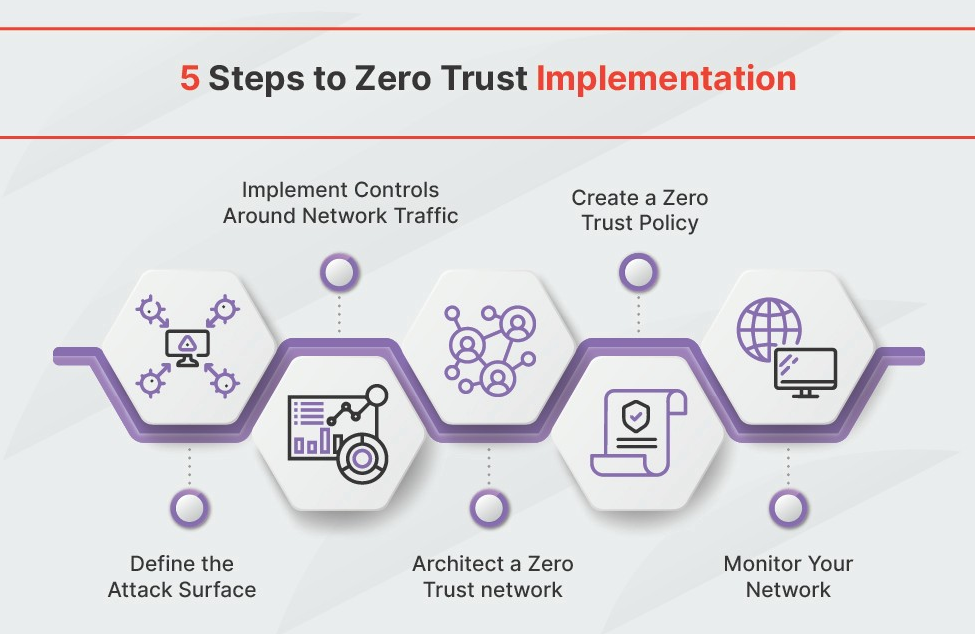
Implementing Zero Trust is a journey, not a destination. A phased approach is essential for success. Starting with a large-scale overhaul is likely to be overwhelming and disruptive. Begin with a pilot project, focusing on a critical asset or a specific department.
Prioritize your critical assets and data. Identify the systems and information that are most valuable to your organization and focus your initial efforts on protecting those. This ensures that you’re getting the most value from your Zero Trust implementation.
The key steps in each phase are assessment, planning, implementation, and monitoring. Assessment involves identifying your current security posture and gaps. Planning involves defining your Zero Trust architecture and roadmap. Implementation involves deploying the necessary technologies and policies. Monitoring involves continuously evaluating the effectiveness of your implementation.
Potential roadblocks include legacy systems that are difficult to integrate, resistance to change from employees, and a lack of skilled personnel. Addressing these challenges requires clear communication, training, and a willingness to compromise. Don’t underestimate the cultural shift required to embrace Zero Trust.
- Step-by-Step Guide to Zero Trust Implementation:
- 1. Assessment: Identify critical assets and vulnerabilities.
- 2. Planning: Define Zero Trust architecture and roadmap.
- 3. Pilot Project: Implement Zero Trust in a limited scope.
- 4. Implementation: Deploy technologies and policies.
- 5. Monitoring: Continuously evaluate and improve.
No comments yet. Be the first to share your thoughts!